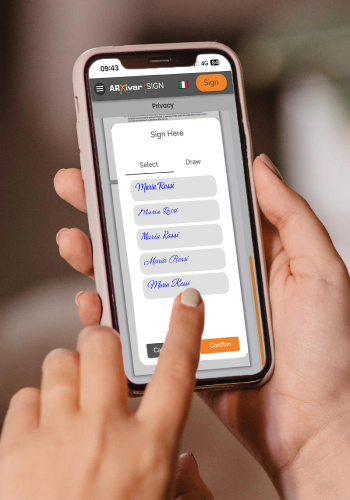
ARXivar Sign Functionality

Discover how Electronic Signature can make your processes smarter and more efficient

Main features
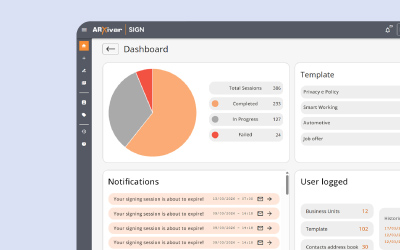
Deployment

ARXivar Sign is available as a web-based cloud service and as a Ready-to-Use portal. In both modes, it can be integrated with pre-existing company systems via Web APIs.
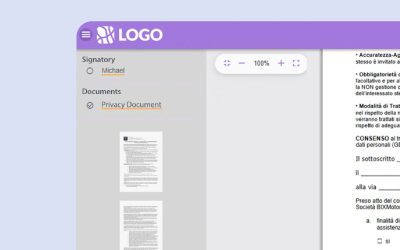
White Label

Customize the service interface and the signer experience by incorporating your logo, colors, and corporate style. Offer customers a professional electronic signature service that is consistent with your brand identity.
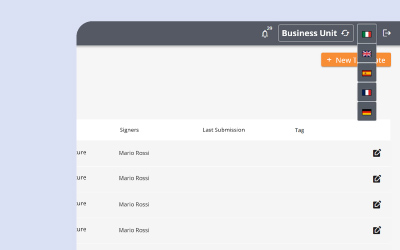
Multilingual

The electronic signature service and portal are multilingual, available in Italian, English, Spanish, German, and French, to facilitate the management and signing of documents at an international level.

Preparation of documents for signature

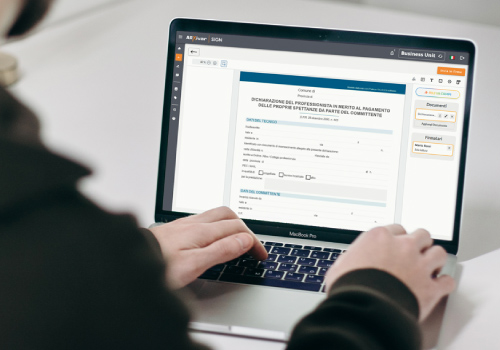
ARXivar Sign simplifies the creation and sending of documents and contracts for digital signing, enabling companies to manage approval processes in a secure and traceable way.

The platform supports documents in PDF format, ensuring a simple, efficient workflow that complies with legal standards.
Sign individual files or groups of PDF documents using the PAdES standard. The documents maintain readability and integrity over time, ensuring authenticity, security, and compliance with eIDAS and GDPR regulations regarding the protection of personal data.
Easily insert text fields and signatures into documents, guiding signers’ actions, highlighting important information, and clearly structuring the content.
It is possible to easily include attachments to documents, such as supporting files or contracts, so that all the necessary material is readily available and the process management is simplified.

APIs and integrations

REST APIs make it easy to connect the platform to other enterprise systems or custom applications, ensuring flexibility and seamless integration with existing workflows.
ERP and CRM integrated into ARXivar Sign allow you to send and manage documents for signing without leaving the tools already in use. This improves operational efficiency, facilitates the traceability of interactions, and provides a complete view of the status of documents throughout the entire process.

Artificial Intelligence in signature processes

Leverage the built-in AI functionality to simplify document management, automatically identify signature fields and existing forms, reducing time and errors. Also use AI for signer identification through Face Recognition

Types of signature

ARXivar Sign provides different types of signatures to suit every need. You can choose from various signature levels, assign signatories, and define each stage of the document signing process.

The Simple Electronic Signature ensures the signing of electronic documents such as orders, order confirmations, and quotes, within a process with more or less robust requirements and with a simple level of authentication. In general, it applies to all those contexts that require approval or simple consent.
Advanced Electronic Signature ensures the certain identification of the signer and the legal validity of electronic documents. It meets the requirements of a handwritten signature, providing evidentiary value, and is ideal for contractual documents in the “mobile” sector: insurance, commercial, rental, banking, and credit agreements, which can be stored for up to 9 years.
The Qualified One-Shot Electronic Signature is the electronic signature with the highest level of reliability and security. Based on a qualified certificate, it ensures the authenticity, integrity, and non-repudiation of documents. It can be applied to any electronic document, including public deeds and movable and immovable property contracts.
It is an Advanced Electronic Signature that captures not only the image of the handwritten signature, but also the signer’s dynamic biometric data, such as stroke speed, pressure on the screen, and other parameters. It is compatible with Windows via Wacom STU-430 and Wacom STU-540 devices, as well as with iPad and Android tablets.
Thanks to the Massive Sign Hash module, it is possible to use remote qualified electronic signatures in bulk mode, automatically signing large volumes of documents through a delegation process, without the need for continuous oversight by the signer. The process can be managed via REST APIs or by using PDF documents in PAdES mode.

Security

Documents are protected by advanced encryption and state-of-the-art security systems, ensuring that sensitive data and contracts remain safe from unauthorized access at all times.

Single-use digital certificates (“One Shot”) are issued following identification and are valid only for the time strictly necessary to complete the signing process. They enable user authentication and the application of qualified electronic signatures with full legal validity in Italy, supported by a timestamp and suitable for ensuring the highest level of evidentiary validity.

Every operation on documents is fully and securely tracked—from creation to sending, from signing to the management of any rejections. All actions are automatically recorded, ensuring transparency, legal validity, and the ability to easily reconstruct the document’s entire lifecycle.
It is possible to apply a timestamp to certify the exact date and time the document was signed, protecting the organization from potential disputes.

Create users with customized profiles and define different security levels, ensuring that each operator has access only to the features and documents relevant to their role.

Authentication to the ARXivar Sign interface can be carried out using credentials with multi-factor authentication (MFA), or through integration with Microsoft Entra ID.
For added security, the user who initiates the session can protect access by setting a code: the recipient will be able to open the link and view the document only if they have it.

Productivity

Automate your company’s electronic signature processes, reducing document management time and increasing your team’s productivity.

You can monitor the status of your documents in real time, immediately knowing who has signed, who still needs to sign, and who is about to sign. The system automatically sends reminders to prompt any pending signatures.
Approval workflows in ARXivar Sign automate the document signing process by specifying who approves and in what order. This reduces errors, speeds up decision-making, and keeps a record of every step within the system.
You can save contracts or documents as pre-set templates to send new signature requests in seconds, without having to configure everything each time. Templates are easily created in ARXivar Sign using drag-and-drop fields.
Set up reminders and receive automatic notifications for documents awaiting signature, keeping you always updated on progress, reducing delays, and ensuring that every digital transaction proceeds smoothly.

Sending Options

Define and manage all signers of your documents. Assign different roles and permissions, controlling who can sign, view, or approve each document, while maintaining full control over every stage of the process.

ARXivar Sign features an internal address book that allows you to create and organize signers, involving them in signing and approval sessions or including them as carbon copy recipients. This tool simplifies coordination and makes signing and approval activities more efficient, ensuring a structured and orderly workflow.
Send documents to multiple recipients at once, simplifying communications and signature requests. Save time and ensure that every recipient quickly receives the documents needed to complete digital transactions.
Create, send, and sign your documents using an iPad, iPhone, or Android device. You can do this by installing the dedicated app for iOS or Android, or directly through your mobile device’s browser.

Signature experience

Send your documents with ARXivar Sign and allow recipients to sign them digitally in just a few minutes. Sending and signing are simple, fast, and fully guided, for an immediate and secure experience.

Automatically adapt the formatting and accessibility of documents based on the device, allowing signers to easily operate even from smartphones and tablets.
After signing, the signatory is automatically redirected to a specific page, improving the user experience and simplifying commercial follow-up.
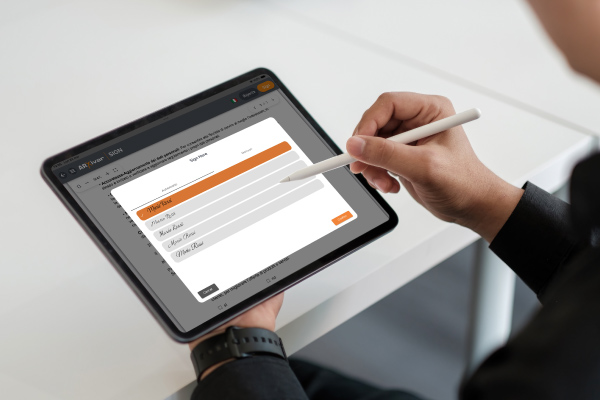
Allow recipients to apply their own signature in digital format by manually drawing it on the device, providing a personalized and secure experience that replicates a handwritten signature.
Allow recipients to quickly sign documents with a simple click, reducing approval times and ensuring an immediate and secure experience for all users involved.
It is possible to sign by directly uploading an image of your handwritten signature, in order to speed up the management of multiple documents and make the digital experience more realistic, similar to signing on paper.

Identification of the signatory

Verify the identity of the signatories before they access the documents. With ARXivar Sign you can apply advanced security controls, so that every electronic signature is reliable and fully certified.

Verify users’ identities remotely, thanks to Artificial Intelligence and biometrics, making the signing process fast and secure.
An additional security check may involve sending a one-time code to the user’s phone via SMS.

Alternatively, the code can be sent via email, thus providing an additional secure channel to complete the remote identification process.

For added security, in the near future whoever initiates the session will be able to protect access by setting a code: the recipient will be able to open the link and view the document only if they have it.

Compliance

The service complies with Italian and European regulations on electronic signatures and privacy, including eIDAS and GDPR, ensuring that every signed document is legally valid and recognized.
The signature service complies with the eIDAS regulation, ensuring legal validity and recognition of electronic signatures at the European level.
The signature service complies with the eIDAS regulation, ensuring the legal validity and recognition of electronic signatures at the European level.
The platform is ISO 9001 certified, ensuring compliance with its Quality Management System, and offers a secure and reliable system that can be easily integrated into company workflows.
The platform is ISO/IEC 27001 certified, ensuring high standards in information security management and guaranteeing the protection, confidentiality, and integrity of data.
It is a SaaS (Software as a Service) solution for electronic signatures and document management, fully cloud-based. Companies can access documents at any time and from any device, without installations or maintenance.
ARXivar Sign is accessible and inclusive. The service complies with WCAG 2.1 Level AA guidelines, allowing people with disabilities to easily view, fill out, and sign documents.

ARXivar Sign is the electronic signature service your company needs.

ARXivar Sign is the electronic signature service your company needs